




Panasonic "Image Capture Plus" Demo - Area, Sub Area (Sub Area)
views
Function
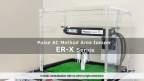
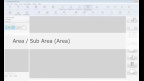
This function scans parts of documents.
The scanning area is specified by the start position (X: horizontal, Y: vertical) from the top left corner of the paper, and the image width and height (length).
This function scans parts of documents.
The scanning area is specified by the start position (X: horizontal, Y: vertical) from the top left corner of the paper, and the image width and height (length).
Related Link

Related Videos

Recommended Videos
-
 ch.027月 09, 2026Tracephere|Our solution for visualizing history and connecting valueviews
 -
 ch.023月 24, 2026Reasons why India's largest EMS chose (Dixon/Padget)views
 -
 ch.023月 11, 2026Panasonic Stories in 60 sec: AI Data Center Solutionsviews
 -
 ch.021月 29, 2026Panasonic Stories in 60 sec: Robot Control Platform Robo Syncviews